

It's 2 AM on a Tuesday. Someone is on your website - maybe a facility manager researching HVAC contractors, or a marketing director comparing web development agencies for a rebrand. They have a question. Something specific. Maybe it's about your process, your pricing range, or whether you serve their industry. They look for a way to ask.
They find a contact form. "We'll get back to you within 1-2 business days." They close the tab. By the time your team sees the form submission at 9 AM — if a submission even happened — that person has already moved on. They've found someone who answered faster. This isn't a hypothetical. It's happening on most business websites, every single night.
The gap between "always online" and "actually available."
Here's the thing most business owners don't think about: your website is technically available 24/7, but it's only useful during business hours. The rest of the time, it's a digital brochure sitting in the dark. And the numbers behind this gap are hard to ignore. Research consistently shows that leads contacted within five minutes of reaching out are far more likely to convert than those who wait hours. Yet the average response time for most businesses is? Somewhere between several hours and "we forgot".
Meanwhile, about 85% of businesses that have adopted AI-powered chat on their websites say round-the-clock availability is one of the biggest benefits. Not because the technology is flashy — but because it solves a problem that's been hiding in plain sight. Your website visitors don't follow your office hours. But until recently, your website did.
What this actually looks like in practice
Let's walk through a real scenario. Say you run a mid-sized manufacturing company. You've got a solid website — clean design, good content, clear service pages. You're getting decent traffic. But your lead pipeline feels inconsistent, and you can't figure out why.
Here's what's happening behind the scenes:
The old way: A prospect visits your site at 9:30 PM after a long day. They're comparing three vendors. They fill out your contact form — maybe. More likely, they browse, don't find the specific answer they need, and leave. Your analytics show the visit. Your CRM shows nothing.
With an AI chatbot: That same visitor lands on your services page. A chat window opens — not the annoying kind that blocks the screen, but a clean, unobtrusive prompt: "Have a question about our services? I can help point you in the right direction."
The visitor types: "Do you work with food processing companies?"
The chatbot, trained on your website content and service information, responds accurately: "Yes — we've worked with several food processing and packaging companies on custom web applications and equipment catalogue integrations. Want me to grab your email so our team can send over some relevant examples in the morning?"
The visitor shares their email. Maybe they ask a follow-up about timelines. The chatbot answers what it can and flags what needs a human. By morning, your team has a qualified lead with context — not just a name and email from a form, but an actual conversation thread that shows what the prospect cares about.
That's the difference. Not a gimmick. Just a smarter front door.
Why this matters more now than it did two years ago
AI chatbots aren't new. But what's changed is how good they've gotten — and how low the barrier to entry has become.
A couple of years ago, most chatbots were glorified FAQ pages with a chat bubble. They followed rigid scripts, got confused easily, and often frustrated visitors more than they helped. That's not the case anymore. Today's AI assistants use natural language processing to understand what someone is actually asking, not just match keywords. They can be trained on your specific content — your services page, your FAQs, even your past proposals — so the answers they give are relevant and accurate. When they hit a question they can't handle, they escalate smoothly to a human or capture the visitor's details for follow-up.
And the adoption data backs this up. Roughly two-thirds of businesses now report that AI chatbots have helped them generate more qualified leads. The global chatbot market is projected to nearly triple in size over the next few years. This isn't early-adopter territory anymore — it's becoming standard.
For small and mid-sized businesses, especially, this is a meaningful shift. You don't need an enterprise budget or a dedicated AI team. A well-configured chatbot, integrated with your CRM and trained on your content, can be up and running in days — not months.
What a good AI chatbot actually does (and doesn't do)
Let's clear up some misconceptions, because there's a lot of noise in this space.
A good AI chatbot for your business website does:
- Answer common questions instantly.
Things like "What industries do you serve?", "How long does a typical project take?", and "Do you offer ongoing support?" — these don't need a human. They need a fast, accurate answer at the moment the visitor is curious.
- Qualify leads before your team even gets involved.
The chatbot can ask smart questions — budget range, timeline, decision-making role — and route only the serious inquiries to your sales team. That means fewer tire-kickers in your inbox and more time spent on real opportunities.
- Capture leads outside business hours.
This is the big one. Instead of a static contact form, the chatbot creates a conversation. Visitors engage more, share more context, and are more likely to leave their contact information.
- Integrate with your existing tools.
A properly set up chatbot connects to your CRM, your calendar, your email — so the lead data flows directly into the systems your team already uses. No copy-pasting. No lost emails.
A good AI chatbot doesn't:
Replace your team. It handles repetitive, predictable questions so your people can focus on the conversations that actually need a human touch — complex proposals, relationship-building, strategic discussions.
Pretend to be a person. The best implementations are transparent. Visitors know they're chatting with an AI assistant, and that's fine. What matters is that they're getting helpful answers quickly.
Work on autopilot forever. Like any tool, it needs tuning. You review the conversation logs, spot gaps in the content it's trained on, and improve it over time. The good news? That feedback loop makes it better every week.
How does this connect to your website platform?
Here's where it gets practical. If your website is built on a modern CMS like Craft CMS, integrating an AI chatbot is relatively straightforward. Craft's flexible architecture and clean API support make it easy to connect third-party tools — whether that's a chatbot platform, your CRM, or a scheduling system. The chatbot pulls content directly from your Craft-powered pages, so it stays up to date as you update your site. And because Craft doesn't lock you into a rigid plugin ecosystem, you have the freedom to choose the chatbot solution that best fits your needs rather than settling for whatever's available.
For WordPress sites, the integration path is similar — there are dozens of chatbot plugins and third-party tools that can be configured to work with your existing setup. The key is to make sure the chatbot is trained on your content, not on generic responses. Regardless of your platform, the goal is the same: turn your website from a passive information source into an active conversation starter.
What to consider before adding AI chat to your site.
If you're thinking about this for your own website, here are a few things worth considering:
Start with one high-traffic page.
You don't need to deploy a chatbot across your entire site on day one. Pick your most-visited service page or your homepage, see how visitors interact, and expand from there.
You don't need to deploy a chatbot across your entire site on day one. Pick your most-visited service page or your homepage, see how visitors interact, and expand from there.
Train it on your actual content.
Generic chatbot responses are worse than no chatbot at all. Feed it your service descriptions, your FAQs, your case studies. The more specific the training data, the more useful the responses.
Generic chatbot responses are worse than no chatbot at all. Feed it your service descriptions, your FAQs, your case studies. The more specific the training data, the more useful the responses.
Set clear escalation rules.
Decide in advance what happens when the chatbot can't answer a question. Does it capture an email? Offer to schedule a call? Connect to a live person during business hours? These handoff moments matter.
Decide in advance what happens when the chatbot can't answer a question. Does it capture an email? Offer to schedule a call? Connect to a live person during business hours? These handoff moments matter.
Measure what matters.
Track captured leads, response times, and the most frequently asked questions. The conversation data alone is valuable — it tells you what your visitors actually want to know, which can inform everything from your content strategy to your sales process.
Track captured leads, response times, and the most frequently asked questions. The conversation data alone is valuable — it tells you what your visitors actually want to know, which can inform everything from your content strategy to your sales process.
Keep it human.
The tone of your chatbot should match your brand. If your company communicates in a friendly, conversational way, your chatbot should too. Nobody wants to chat with a robot that sounds like a legal disclaimer.
The tone of your chatbot should match your brand. If your company communicates in a friendly, conversational way, your chatbot should too. Nobody wants to chat with a robot that sounds like a legal disclaimer.
The bottom line
Your website visitors don't disappear after 5 PM. They're browsing in the evening, early in the morning, on weekends. And every unanswered question is a potential lead walking out the door. An AI chatbot doesn't replace the way you do business. It just makes sure your website is working as hard as you are — around the clock. The businesses that figure this out now won't just capture more leads.
They'll capture better leads, with more context, and convert them faster. And the ones that don't? They'll keep wondering why their traffic numbers look fine, but their pipeline doesn't. If your website is still going dark after hours, it might be time to turn the lights on.
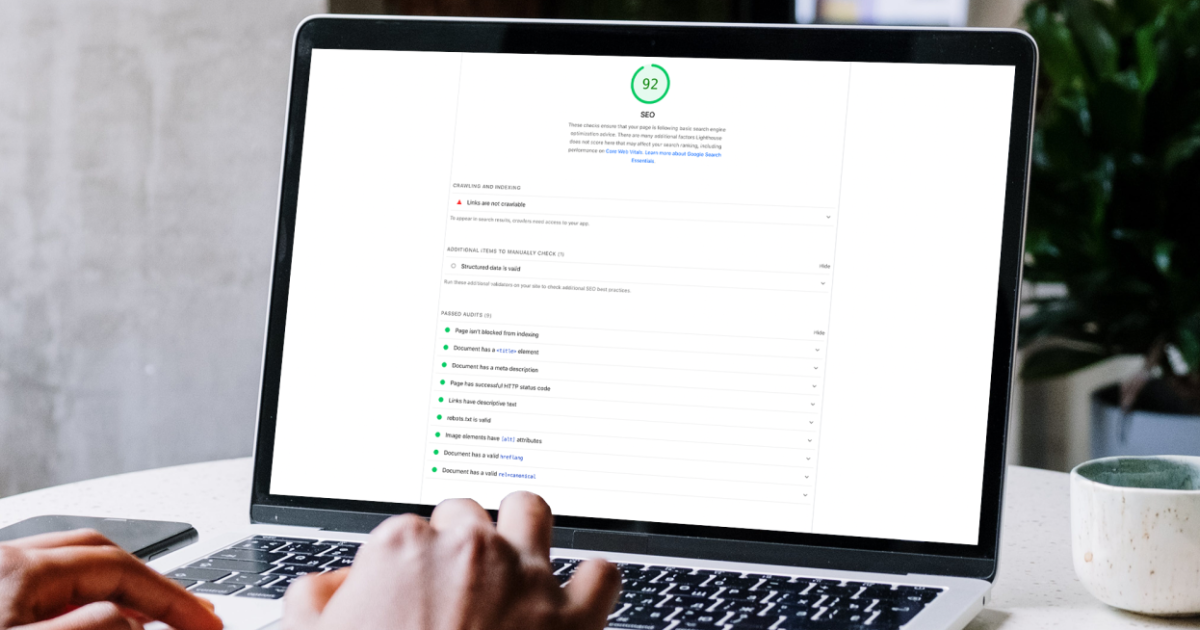
Wondering what else your website could be doing while you're not looking? Our free website audit assesses performance, lead capture, and missed opportunities — and it takes about 5 minutes to request. Let's talk.