


Discover how Microsoft Copilot can boost productivity, streamline work, and support your team—plus how Convergine helps implement it.
AI is no longer a buzzword—it’s a daily tool. And Microsoft Copilot is one of the most practical, business-ready examples of how AI is reshaping work. Built into Microsoft 365 apps like Word, Excel, Outlook, and Teams, Copilot helps teams write faster, analyze smarter, and make better use of their time and data.
For business leaders, the appeal is clear:
more output with less busywork, directly inside the tools your team already uses.
But unlocking real value requires more than just flipping a switch—it calls for clarity, preparation, and the right support.
This guide breaks down what Microsoft Copilot actually does, how it benefits different departments, what to consider before adopting it, and how Convergine can help you implement it strategically and safely.
| Turn Exploration Into Execution—with a Microsoft Gold Partner |
|---|
| Thinking about Microsoft Copilot is a great first step—but getting it running smoothly in your business is where the real value begins. As a Microsoft Gold Partner, you can count on us to assess, implement, and support Copilot in a way that fits your team, your tools, and your goals. |
| Book a FREE Consultation |
What Is Microsoft Copilot?
Microsoft Copilot is an AI-powered assistant built directly into the Microsoft 365 tools your team already uses—like Word, Excel, Outlook, Teams, and PowerPoint. It helps people work faster, smarter, and more effectively by turning everyday inputs into real-time support.
Instead of jumping between apps or digging through documents, Copilot brings relevant content, insights, and suggestions into the flow of your work.
It can draft emails, summarize meetings, generate reports, analyze data, and even prepare presentations—based on your organization’s own files, chats, and emails (within the permissions you’ve set).
The goal is to give your team back time, reduce manual work, and support faster, more informed decision-making—without disrupting the tools they already use.
What Are the Benefits of Using Microsoft Copilot?
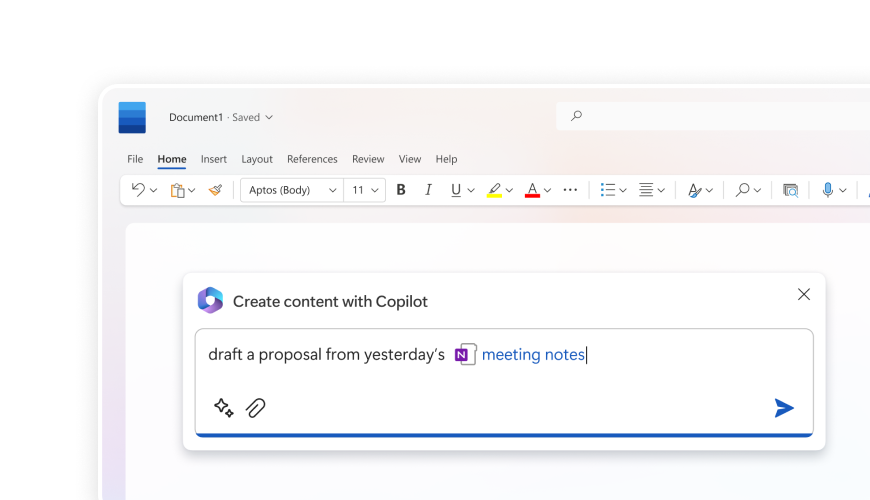
Microsoft Copilot helps businesses streamline how work gets done—by combining automation, content generation, and smart suggestions directly inside the Microsoft 365 tools your team already uses.
Here’s what that means in practical terms:
1. Time Savings
Copilot helps your team move faster by drafting emails, documents, summaries, and presentations in seconds. Instead of starting from a blank page, they get a head start—saving hours across the week.
2. Smarter Decisions
By tapping into your internal data—like emails, documents, and meeting notes—Copilot brings relevant insights directly into your workflow. Teams can quickly get the context they need without digging through folders or chasing updates.
3. Consistent Communication
Whether it’s a proposal, client email, or internal brief, Copilot helps keep tone, formatting, and structure consistent across the board. This ensures your brand voice and messaging standards stay intact, even with different contributors.
4. Improved Collaboration
Copilot can automatically summarize meetings, highlight action items, and generate follow-ups—making it easier for teams to stay aligned and keep momentum going without manual coordination.
5. More Focus, Less Busywork
Repetitive admin tasks like organizing notes, generating reports, or cleaning up content are handled quickly by Copilot. This allows your team to focus on high-impact work—like strategy, problem-solving, or serving clients.
How Different Teams Can Use Microsoft Copilot
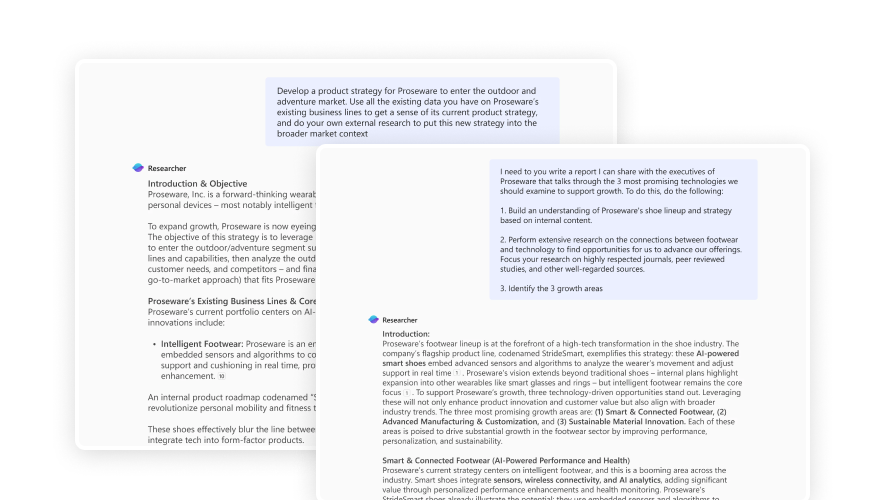
Microsoft Copilot supports a wide range of workflows across your business. It’s not limited to one role or department. Here’s how key teams can use it to improve day-to-day work:
1. Sales
- Drafts personalized follow-up emails after meetings.
- Summarizes CRM notes and client interactions.
- Prepares quick briefs and quotes using internal documents and templates.
2. Marketing
- Generates first drafts for blog posts, newsletters, and campaign briefs.
- Summarizes market research or competitor analysis.
- Maintains consistent tone and messaging across assets.
3. HR
- Creates job descriptions and interview summaries.
- Prepares onboarding documents and internal policy updates.
- Organizes and drafts internal communications more efficiently.
4. Finance
- Analyzes Excel data to spot trends or create summaries.
- Prepares report outlines using financial inputs.
- Assists with budget overviews or financial planning decks.
5. Operations & Admin
- Summarizes meetings and outlines follow-ups.
- Prepares project updates, SOPs, and checklists.
- Helps organize internal documentation and workflows.
6. Leadership
- Summarizes long threads, reports, or meeting transcripts.
- Drafts high-level communications and strategic updates.
- Supports faster review and decision-making with relevant context.
| Wondering How This Could Work in Your Team? |
|---|
| From sales and marketing to finance and operations, Microsoft Copilot can bring real efficiency gains across your organization. If you're exploring how to align it with your team's needs, we're here to help map it out. |
| Book a FREE Consultation |
What Does Microsoft Copilot Cost—and Is It Worth It?
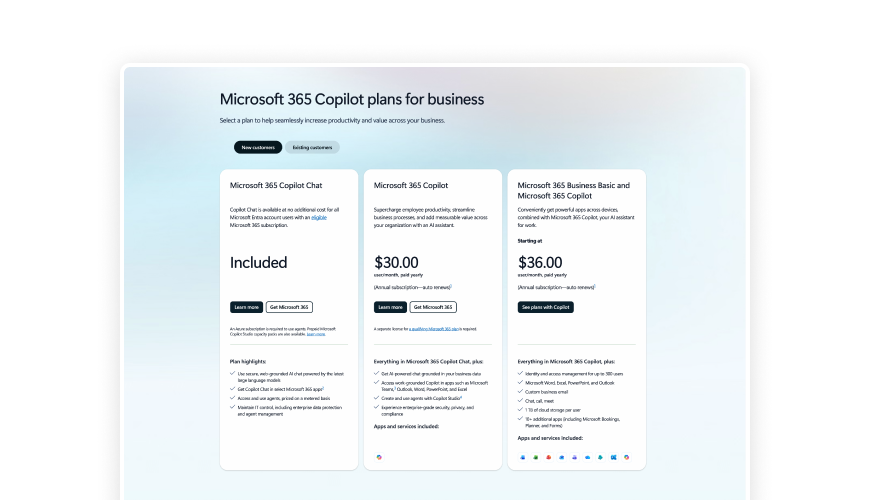
Microsoft Copilot is available as an add-on to Microsoft 365 and is billed per user. While the monthly cost may seem straightforward, the real question is what kind of value it returns.
What You Can Expect to Pay
- Licensing: Copilot for Microsoft 365 is priced around $30 USD per user/month (in addition to existing Microsoft 365 licenses).
- Requirements: It’s available to customers on eligible business or enterprise plans.
Is It Worth It?
That depends on how your organization uses it. For teams handling a high volume of communication, content, reporting, or decision-making—Copilot quickly pays for itself in time saved and output improved.
Here’s how businesses typically see ROI:
- Reducing time spent on writing and editing.
- Automating meeting notes, follow-ups, and task management.
- Increasing content volume (without increasing headcount).
- Accelerating reporting and analysis with fewer bottlenecks.
For many businesses, starting with a small group or department is the best way to measure impact before scaling further.
What to Consider Before Using Microsoft Copilot
Microsoft Copilot offers a lot of value—but like any powerful tool, it needs thoughtful setup and responsible use. Here are a few things to consider before rolling it out across your organization:
1. Information Access Matters
Copilot only pulls from content users already have permission to access. If file permissions are too broad, someone could end up seeing data they shouldn’t. A quick audit of access rights can go a long way.
2. It Doesn’t Replace Judgment
Copilot is fast and helpful, but it still makes mistakes. It can summarize the wrong point or generate something off-brand. Teams need to review outputs—especially when it comes to anything public-facing or client-related.
3. Data Privacy and Compliance
Copilot works within your secure Microsoft 365 environment. However, your team should still follow good practices when it comes to sensitive or regulated information. Industries like healthcare, finance, and government will need additional oversight.
4. Training is Key
A tool is only as useful as the person using it. A short training session can help your team write better prompts, understand when to trust the AI, and how to get the most from it.
5. Start Small, Then Scale
Rolling it out to your entire organization all at once isn’t necessary. Start with one or two teams where the value will be clear—then use those results to guide your next steps.
Do’s and Don’ts for Smarter Use of Microsoft Copilot
Like any powerful tool, Microsoft Copilot delivers the best results when it’s used with care and a bit of know-how. Here’s a quick guide to help your team make the most of it—without running into trouble.
| ✅ Do | ❌ Don’t |
|---|---|
| Review the output before sharing. | Assume Copilot’s content is always correct. |
| Use it to draft, summarize, and organize routine work. | Paste in highly sensitive or regulated information. |
| Train your team on how to write effective prompts. | Expect everyone to know how to use it intuitively. |
| Start small—pilot with content-heavy teams first. | Roll it out company-wide without a plan. |
Is Your Business Ready for Microsoft Copilot?
Before rolling out Microsoft Copilot, it’s important to make sure a few key foundations are in place. Here’s a quick checklist to help you assess your readiness:
| ✅ | Checklist Item |
|---|---|
| ✅ | We’re using Microsoft 365 Business Standard or Enterprise. |
| ✅ | Our teams work heavily in tools like Word, Excel, Outlook, and Teams. |
| ✅ | We’ve reviewed and updated user permissions and file access. |
| ✅ | We have internal data (documents, chats, emails) that Copilot can draw value from. |
| ✅ | We’re prepared to train users on how to use Copilot effectively. |
| ✅ | We understand that human oversight is still essential. |
| ✅ | We plan to start small—with a pilot team or use case—and expand from there. |
How Convergine Can Help You Implement Microsoft Copilot
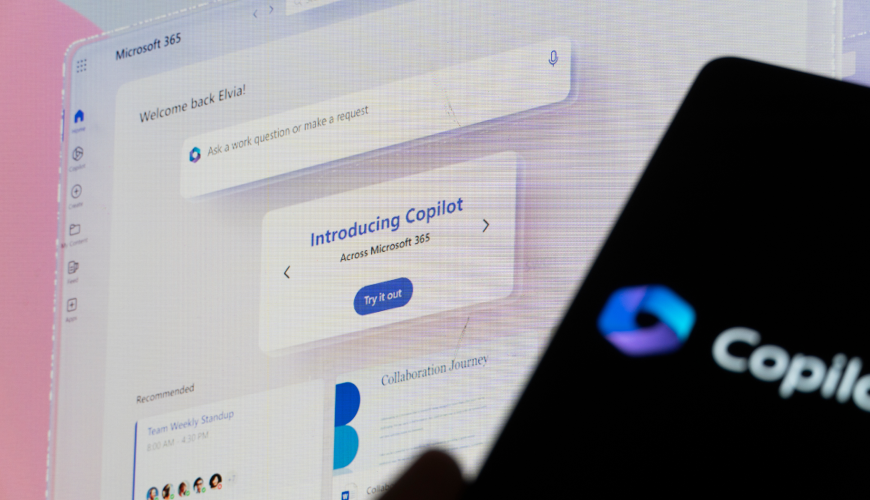
Adopting Microsoft Copilot goes beyond turning on a feature—it takes planning, setup, and ongoing support to get it right. That’s where we come in.
As a Microsoft Gold Partner, Convergine helps you move from exploration to execution with clarity and confidence. Whether you're just starting to evaluate Copilot or ready to roll it out across your organization, we provide hands-on expertise every step of the way.
What We Help With:
Readiness assessment
We review your current Microsoft 365 environment, permissions, and data structure to identify opportunities and risks.
Implementation and setup
From licensing support to technical configuration, we ensure Copilot is deployed securely and effectively.
User onboarding and training
We help your teams understand how to use Copilot well—so they get value from day one.
Ongoing support and optimization
As your needs evolve, we’re here to help fine-tune Copilot’s role in your workflows and ensure long-term ROI.
Compliance and security alignment
Especially for industries with strict regulations, we help you stay in control of your data and usage policies.
Whether you're in healthcare, finance, public services, or professional services—our team understands the industry-specific considerations that matter most.
Final Thoughts
Microsoft Copilot has the potential to transform the way your team works—reducing friction, saving time, and unlocking smarter ways to create, communicate, and collaborate. But the real value comes from using it the right way, with the right support behind it.
At Convergine, we’re here to help you do exactly that. As a Microsoft Gold Partner, we combine strategic guidance, hands-on implementation, and ongoing support to ensure Copilot delivers meaningful results for your business.
| Ready to explore what Copilot could do for your team? |
|---|
| Let’s talk through your needs, your workflows, and how we can help make Copilot a productive part of your business. |
| Book a FREE Consultation |