


As verified Craft CMS, Craft Commerce, and Enterprise partners, we’ve worked with the platform long enough to understand what digital marketers actually need. To contribute to the growing Craft ecosystem—and to support our own team—we’ve developed several Craft CMS plugins for digital marketers that help streamline real-world workflows like content creation, email delivery, and cookie compliance.
These plugins weren’t built in a vacuum. They’re actively used by our in-house marketing team, across client campaigns and internal projects alike.
We’re also including a few must-have tools developed by others in the Craft community—plugins we trust and use in our own operations. Whether built by us or someone else, every plugin in this guide helps solve specific marketing challenges inside Craft CMS.
1. Content Creation & AI
Plugin: Content Buddy (by Convergine)
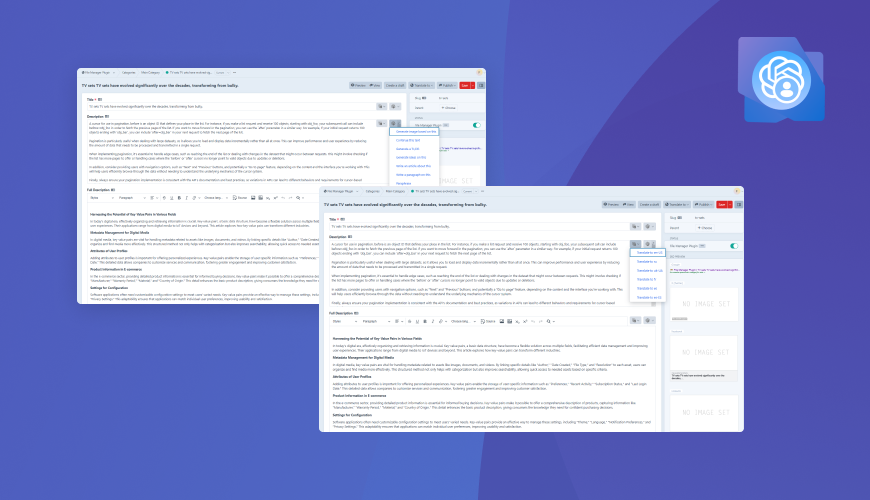
As our digital marketing team scaled, so did the volume of content we needed to produce—SEO copy, multilingual pages, campaign variations, and internal content updates across dozens of entries. The problem wasn’t just writing; it was the inefficiency of bouncing between tools, losing formatting, and slowing down reviews.
That’s why we built Content Buddy—one of the most practical Craft CMS plugins for digital marketers focused on speed, structure, and consistency.
It brings AI-powered writing and translation directly into Craft CMS—fully integrated into the field types we actually use (Matrix, Redactor, plain text). Instead of relying on external tools, our team now creates and refines content directly inside the CMS.
Where it helps most:
- Drafting structured content inside Craft (no copy-paste, no broken layouts)
- Translating full entries while keeping formatting intact
- Rewriting or summarizing content for mobile layouts or testing
- Creating SEO titles and meta descriptions based on content context
- Rephrasing or localizing campaign copy for different regions
- Generating visual assets when design support isn’t available
| Explore Content Buddy |
|---|
| We built it to solve real content bottlenecks—and it’s now part of every Craft project we ship. |
| Buy plugin |
2. Social Content & Publishing
Plugin: Social Buddy (by Convergine)
There was always a gap between publishing content on our site and sharing it across social media. We'd finalize a new case study or campaign page in Craft—but then have to manually post about it in other tools, which slowed things down and left room for inconsistency.
Social Buddy closes that loop.
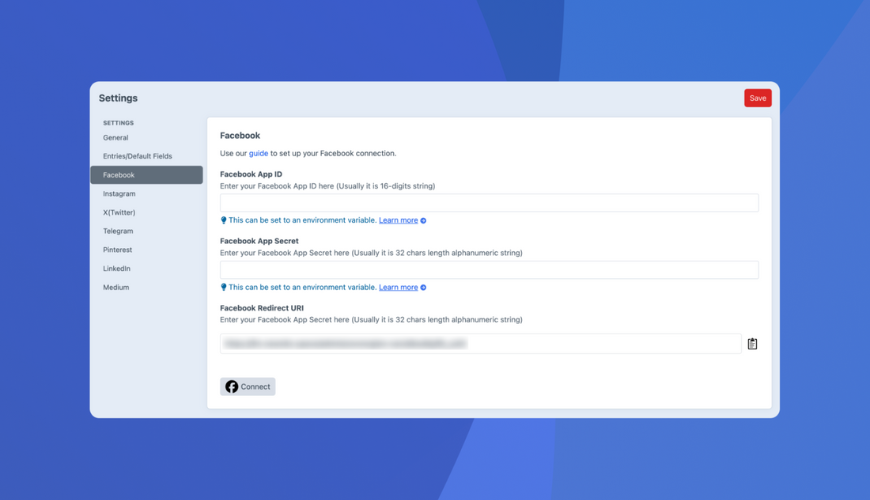
It allows us to share Craft entries directly to platforms like Facebook, Instagram, LinkedIn, X (Twitter), Pinterest, Medium, and Telegram—either automatically when a post is published or manually when we want more control over timing and messaging.
The biggest value? Our content and social teams work from the same place. The same entry that launches a new landing page can also push the post to multiple channels, using pre-configured templates or platform-specific messages. It keeps our campaigns tighter and saves time every week.
Where it helps most:
- Managing social posts from inside Craft CMS
- Keeping content consistent across the web and social
- Reducing tool-switching for marketing teams
- Giving content editors publishing flexibility with automatic or manual modes
| Explore Social Buddy |
|---|
| Streamline your publishing process—from content entry to social post—in one place. |
| Buy plugin |
3. Email Integration
Plugin: Brevo Mailer Adapter (by Convergine)
Not every project needs a heavyweight email platform. For smaller marketing sites and internal tools, we needed something reliable, easy to configure, and cost-effective to handle transactional emails—such as form notifications, confirmations, or alerts.
That’s why we built the Brevo Mailer Adapter for Craft CMS—one of the most efficient Craft CMS plugins for digital marketers looking for lightweight email integration without the complexity.
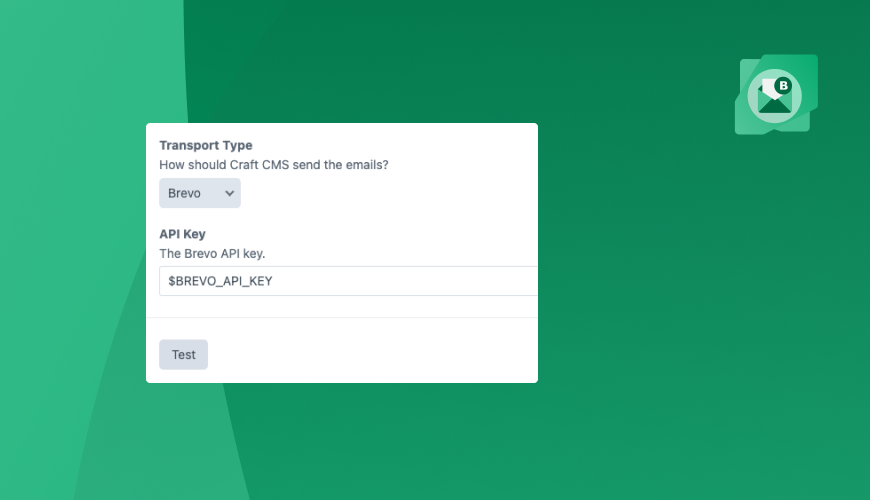
It connects directly to Brevo (formerly Sendinblue), giving us a simple way to route emails through a trusted provider without bringing in more infrastructure than needed. No extra services, no overkill—just a clean, direct integration with Craft’s native mailer.
It’s been ideal for form-heavy pages, gated content workflows, and smaller-scale sites where functionality matters more than volume.
Where it helps most:
- Sending form confirmations and internal notifications
- Avoiding setup overhead from larger platforms like Mailgun or Postmark
- Giving clients or internal teams a manageable email solution
- Controlling email settings and API keys from Craft’s control panel
| Explore Brevo Mailer Adapter |
|---|
| Built for marketing sites that need reliable email without unnecessary complexity. |
| Buy plugin |
4. Stock Image Sourcing
Plugin: Pexels (by Convergine)
When updating content, adding visuals is often the last step—but it shouldn’t be the slowest. Our marketing team was constantly jumping between Craft and stock image sites, downloading, uploading, renaming… just to get a simple blog thumbnail or hero image in place.
So we built the Pexels plugin to make image sourcing part of the actual publishing workflow.
Now, when we’re inside an entry and need an image, we can search Pexels directly from the asset selector in Craft, apply filters (orientation, color, resolution), and drop it in—no extra tabs, no manual uploads.
It’s especially useful for blog posts, content refreshes, or quick-turn landing pages where speed matters but visuals still need to align with the message.
Where it helps most:
- Sourcing royalty-free images directly inside Craft
- Saving time on updates and content publishing
- Empowering marketers and writers to find visuals without design support
- Keeping image selection fast, on-brand, and in workflow
| Explore the Pexels Plugin |
|---|
| Give your content team instant access to quality visuals—right where they work. |
| Buy plugin |
5. Cookie Compliance
Plugin: Cookie Buddy (by Convergine)
Privacy compliance isn’t optional anymore—especially for sites running analytics, ads, or retargeting scripts. But third-party cookie banners often come with platform lock-in, limited design control, or extra subscription costs.
We needed something better for our projects. So we built Cookie Buddy for Craft CMS 4 and 5—one of the essential Craft CMS plugins for digital marketers for compliance without sacrificing brand control.
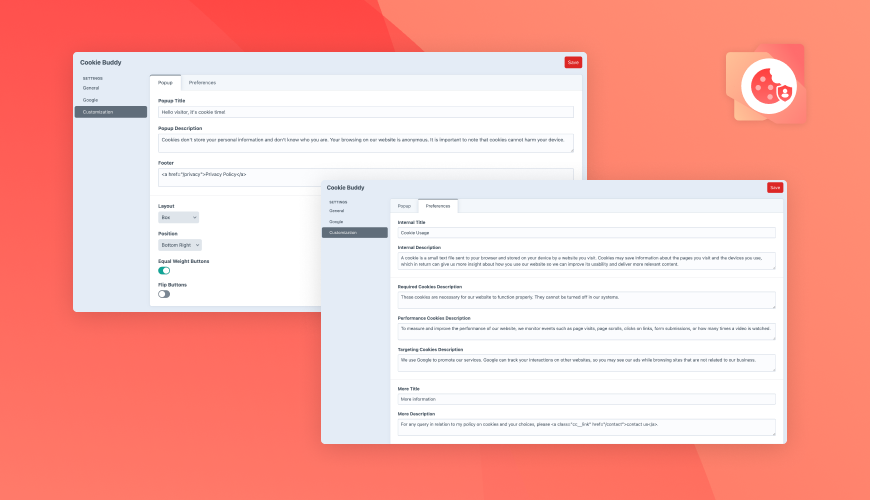
It gives us full control over how consent is collected, displayed, and passed to tools like Google Analytics via Consent Mode v2. We can customize the banner design, content, language, and cookie categories—all from within Craft’s admin.
No additional platforms to manage. No compromises on brand experience. Just a solution that fits right into how we build and operate sites.
Where it helps most:
- Passing consent signals to Google Analytics and other platforms
- Managing cookie categories and messaging per project needs
- Maintaining full brand control over design and behavior
| Explore Cookie Buddy |
|---|
| Control consent, stay compliant, and ditch external tools—all inside Craft. |
| Buy plugin |
6. SEO & Structured Data
Plugin: SEOmatic (by nystudio107)
Our dedicated SEO specialist uses SEOmatic daily—and it’s played a key role in helping us rank for high-value search queries across competitive markets.
Craft CMS offers the flexibility we need for complex site architectures, but that same flexibility can make SEO setup tedious. SEOmatic bridges that gap. It handles the technical SEO work—like meta tags, canonical URLs, OpenGraph previews, JSON-LD schema, XML sitemaps, and robots.txt—so our team can stay focused on strategy.
It integrates cleanly into Craft’s native structure, supports multi-site setups, and works with analytics and tag managers out of the box.
Where it helps most:
- Automating technical SEO across all content types
- Ensuring consistent social previews and metadata
- Simplifying schema and structured data implementation
- Enabling SEO improvements without dev involvement
7. Forms & Lead Capture
Plugin: Formie (by Verbb)
While Craft CMS has a native form builder, it doesn’t always cover the needs of modern marketing teams. We needed a more flexible way to capture leads, run gated campaigns, and connect directly to CRM tools—without relying on custom dev work for each form. That’s why we turn to Formie.
Formie makes building and managing forms a marketing-friendly process. With a drag-and-drop interface, conditional logic, multi-page support, and direct integrations with platforms like HubSpot and Mailchimp, it handles everything from simple contact forms to complex lead generation workflows.
Why We Use It:
- Supports conditional logic, multi-page forms, and field validation without dev input
- Easy CRM and email marketing integration (HubSpot, Mailchimp, etc.)
- Perfect for gated content, webinar registrations, and newsletter signups
- Clean integration with Craft entries and section-based content models
- Allows our marketing team to test and iterate faster without code
8. Redirects & SEO Preservation
Plugin: Retour (by Verbb)
In any marketing project—whether it’s a full site migration or a minor URL update—managing redirects is critical. Broken links not only hurt SEO but also disrupt user experience. We use Retour to handle that risk.
It’s one of the most dependable Craft CMS plugins for digital marketers focused on maintaining SEO integrity during content changes, site restructures, and technical updates.
Retour lets our team manage redirects directly from the Craft CMS control panel. That includes bulk redirect creation, pattern-based rules, and 404 tracking—all without touching server configs. It’s become essential for campaigns, restructures, and SEO audits where keeping link equity intact is non-negotiable.
Why We Use It:
- Enables marketers to create 301/302 redirects without developer involvement
- Catches and logs 404 errors so we can fix them before search engines do
- Supports wildcard and pattern-based redirects—ideal for large-scale URL changes
- Used during migrations and campaign cleanup to protect SEO value
Final Thoughts
Craft CMS gives marketers the flexibility and control they often lack in other platforms—but that power multiplies when paired with the right tools. As a Craft Verified Partner with a dedicated digital marketing team, we’ve built and tested Craft CMS plugins for digital marketers that support real campaigns, content workflows, and compliance needs.
Every plugin featured here is used in our day-to-day operations—whether developed by us to solve specific challenges or chosen from other trusted developers. They help us move faster, stay organized, and maintain high performance across all our marketing sites.
If you’re building with Craft CMS and want a leaner, smarter marketing stack, start with the plugins that are proven in real-world use—not just trending in the store.
Frequently Asked Questions
1. What makes a plugin ideal for digital marketers using Craft CMS?
The best Craft CMS plugins for digital marketers support real workflows like SEO, content creation, analytics, social publishing, and compliance—without needing heavy developer involvement.
2. Can smaller teams benefit from these plugins?
Absolutely. Many plugins on this list, including Content Buddy and Cookie Buddy, were designed to support lean marketing teams who need speed and flexibility without sacrificing structure.
3. Are all these plugins compatible with Craft CMS 4 and 5?
Yes. Every plugin featured here is compatible with Craft CMS 4 or 5. We’ve verified this during real-world usage across client and internal projects.
4. Do I need a developer to install or configure these plugins?
Most can be installed and managed from the Craft CMS control panel. Some setup steps (like mailers or API connections) may benefit from a developer, but day-to-day use is marketer-friendly.
5. How should I choose which plugins to use?
Start by identifying your marketing priorities—SEO, email, content scaling, or privacy. Then select the Craft CMS plugins for digital marketers that align with your workflow, team structure, and platform integrations.